Once you’ve downloaded the app, created your account, and paired your phone to your Core, you’re ready to start meditating.
We recommend that new users start with the Basics series, which introduces you to the way that Core uses vibration during your meditations. The app will automatically suggest this series to you once you’re set up.
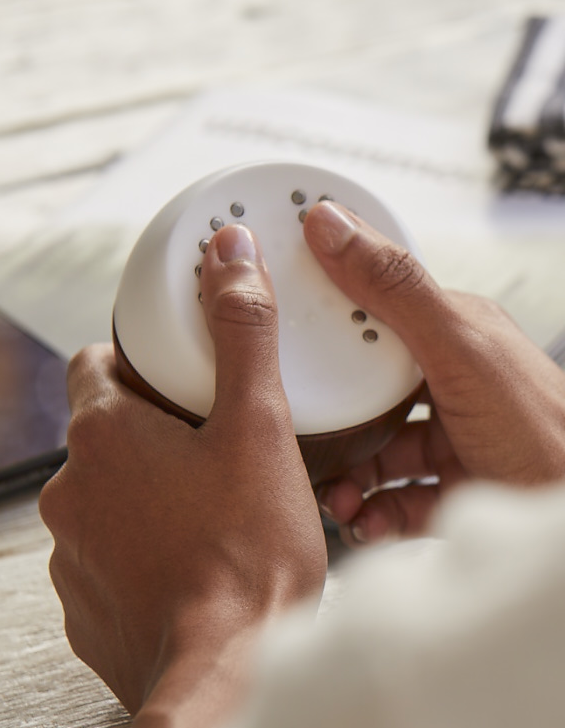
To begin a meditation, just find the one you’d like to do, then pick up your Core device and put your thumbs on the sensors. As soon as you do so, a countdown timer will begin, the audio will start playing, and Core will begin to vibrate. Keep holding your Core throughout the meditation, and when it’s over the app will show you your results.
The app itself is organized into four main sections, which you can navigate using the tabs at the bottom of the screen.
Quick Start
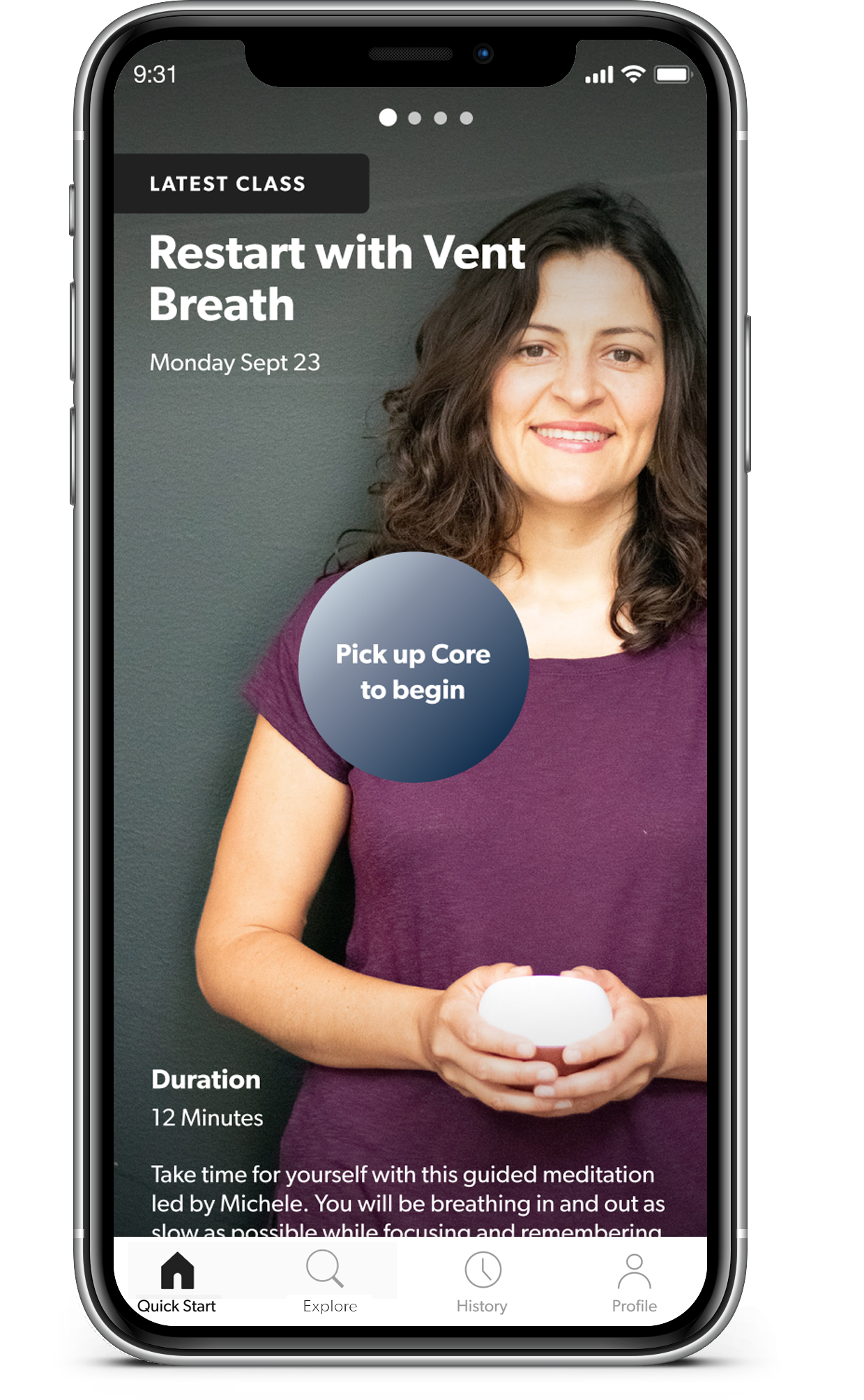
The Quick Start tab will suggest a few meditations for you. This is intended to make it easier for you to jump right in when you want to meditate, rather than spending too much time browsing and searching the library.
For new users, you’ll see the Basics series suggested here first. Once you’ve completed that series, it will be replaced by whatever the most recent instructor-led meditation is, as well as some recommended content based on your interests, your history, and the time of day.
After you’ve been meditating for a while, the Quick Start tab will also keep track of “Your Usual” (whichever meditation you’ve been doing most often), and always have it ready to go for you. Just swipe left and right to view the different meditations available in your Quick Start.
Explore
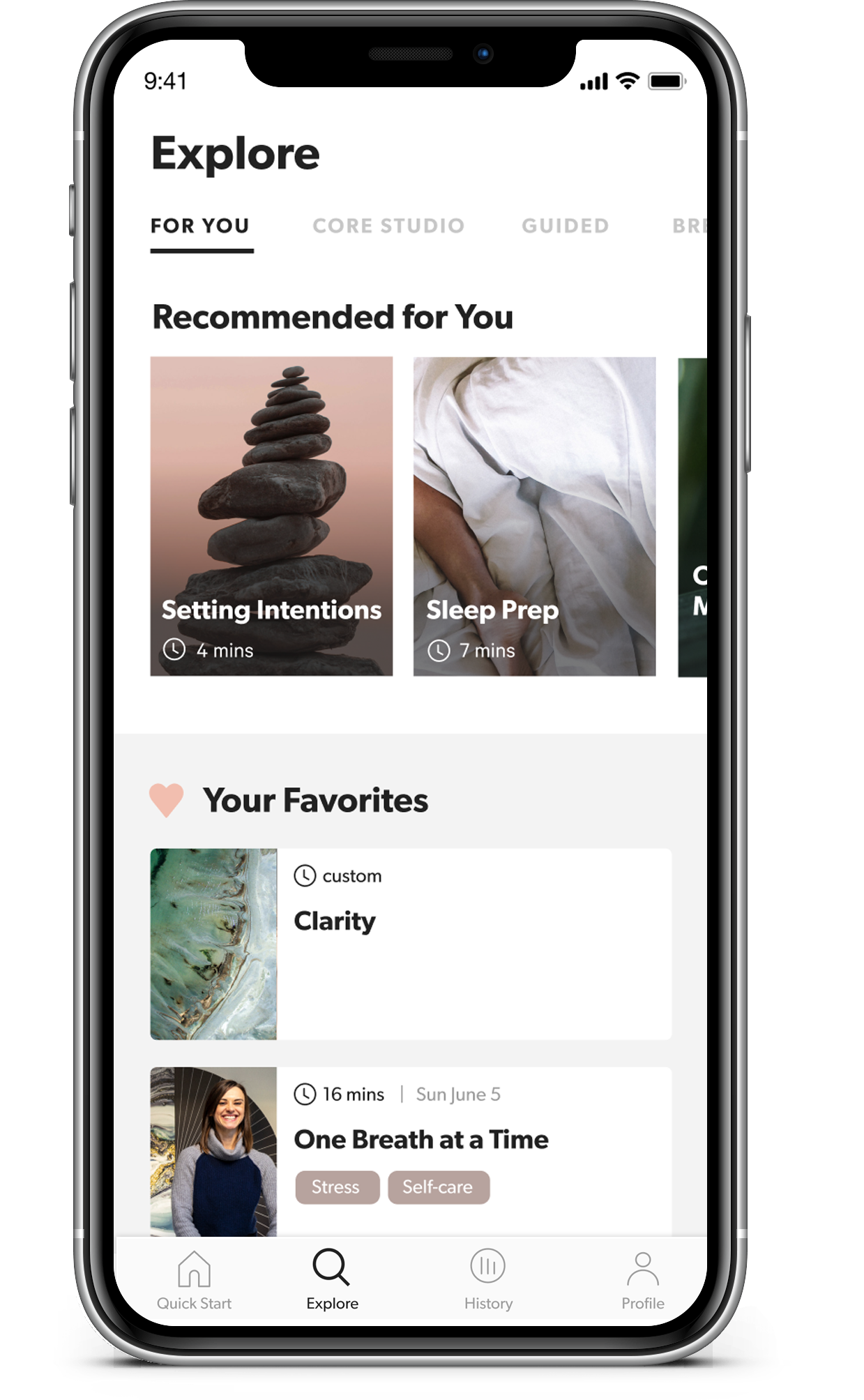
The Explore tab is where you’ll find Core’s meditation library. It’s organized into five main categories.
- For You is where you can browse a larger selection of meditations that are recommended for you. It’s also where your list of “Favorites” will appear, once you’ve favorited a meditation.
- Core Premium is where subscribers will find hundreds of guided meditations led by our expert instructors. New sessions are published almost every day. You can browse the entire library to find sessions that have specific topics, techniques, instructors, or durations.
- The Guided category is a smaller set of guided meditations that are available to subscribers and non-subscribers alike, on a variety of different themes and topics.
- The Breath Training category is where you can learn and practice each of the different breathing patterns that are matched to Core’s active vibrations. You can customize the duration of each session, and add background music if you want.
- Sound & Music is a collection of soundscapes and artist-produced musical tracks designed to provide a calming backdrop for your meditation. Use these when you don’t want explicit guidance from an instructor. You can choose a gentle background vibration for your Core to accompany the session, or even turn off the vibrations completely.
Groups
The Groups is where you can create your very own meditation group and invite friends and family to join. This is a great way to create a shared meditation schedule with some "accountability buddies" to help keep you consistent. Or maybe you'd like to track your total meditation minutes together with a friend or family member, and compare your biometric results after each session. Or maybe even create a 2-week meditation challenge for your coworkers -- it's up to you.
- The Schedule is where the group leader can suggest meditations for the rest of the group: by scheduling them for a specific date and time, or simply as unscheduled recommendations. Each day you'll be able to see which group members have completed any meditations that were scheduled for today.
- The Activity feed shows you the latest activity by your fellow group members: you'll be able to see when they've done a meditation, and the amount of time that it contributed to the group's total minutes. If you decide to share your biometric results from a completed session with your group, the summary of your data will also appear here.
- If you tap on the About tab, you'll see a summary of information about the group, including all its current members, and its total stats.
You can adjust a variety of settings for each group, such as customizing how many people are allowed in the group, what kind of automated reminders you want to receive, and whether you want other people to see your activity or not.
History
The History tab will show you the results from all your previous sessions, and summarize the trends in your biometrics over time.
The graph can be toggled between displaying the last two weeks of data, the last month, or the last three months. You can swipe left and right to move backwards and forwards in time. At the bottom of the screen, you’ll see a list of all the sessions you did in this timeframe.
Consistency is the key when it comes to training your brain and body to respond to meditation. The app will let you know if you’re currently on a multi-day or multi-week streak — keep it up!
The Training view is focused on how much time you’ve spent meditating, and the overall trend in your Heart Rate Variability (HRV.) This is one of the most important biometric measurements that Core uses.
When you change to the Calm or Focus view, you’ll see how much of your meditation sessions were spent in a calm or focused state. You’ll also see the percentage of time you spent in that state, averaged across all the meditations in the current timeframe.
Learn more about the History tab in this article.
Profile
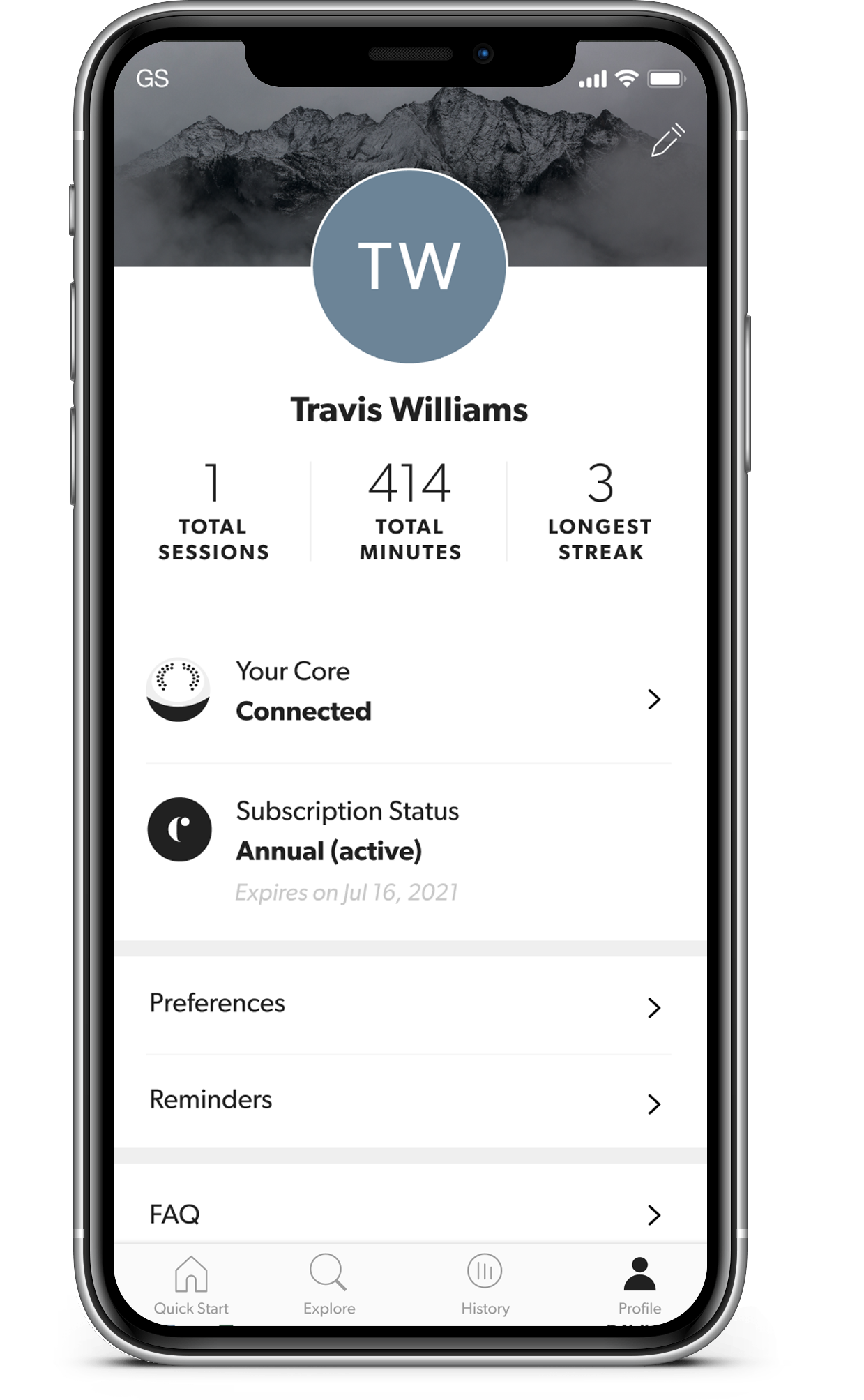
The Profile tab is where you can manage a variety of settings and preferences related to your device, your account, and your subscription.
You can enable automated meditation reminders here, update your primary interests, or connect to Apple Health kit (if you’re an iPhone user.)
You can edit some of your basic account information, including your name, email address, and profile image.
This is also where you can log out of the app, if you need to switch to a different user account.