 |
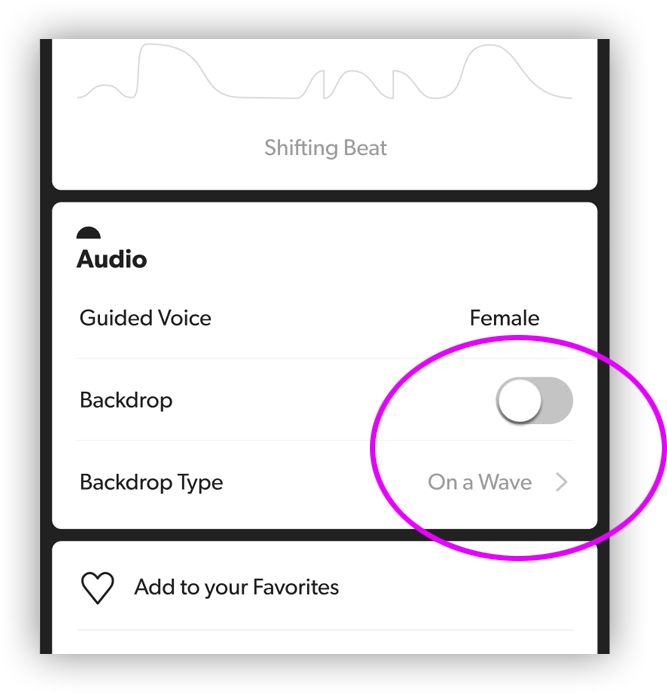
Customize Background AudioThe background audio can be customized for any “Guided” or “Breath Training” meditation. Scroll down to the details of the meditation and in the “Audio” card, tap on “Backdrop Type.” You’ll be able to choose from a list of different soundscapes and musical tracks. To quickly turn the background music on/off completely, tap the “Backdrop” toggle. The meditations in the “Core Studio” and “Sound & Music” categories have preset music and cannot be customized. |
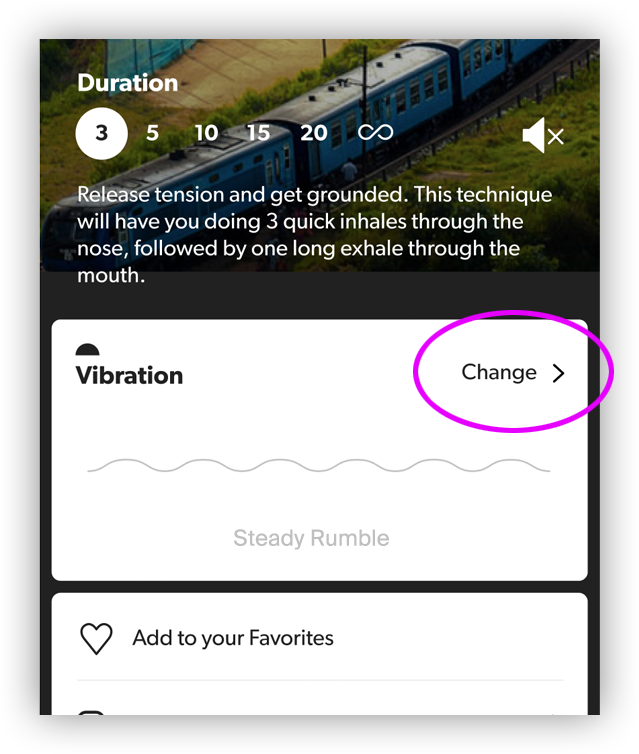 |
Customize VibrationsThe vibration pattern can be customized for any “Sound & Music” meditation. Scroll down to the details of the meditation and in the “Vibration” card, tap “Change >”. You’ll be able to choose from a list of different patterns. The meditations in the “Breath Training”, “Guided”, and “Core Studio” categories are designed to work in sync with guidance from the Core device — for these types of meditations, you won’t be able to customize the vibration pattern. |