If you’re a Core Premium subscriber, you have a very large library of instructor-led meditations to choose from. The app will always try and recommend new content to you that’s relevant to your interests, but sometimes you might want to find meditations that meet specific criteria — sessions that use a specific breath training technique, are less than 10 minutes long, are led by a certain instructor, and so on.
|
|
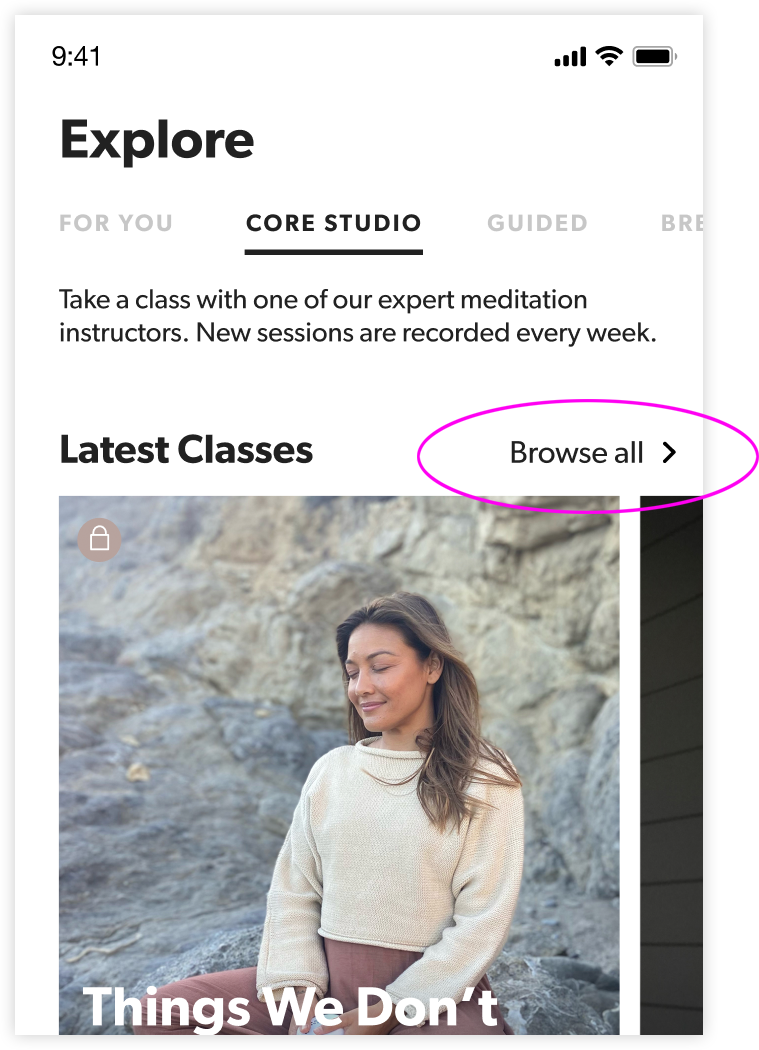
In the “Explore” tab, navigate to the “Core Studio” section. Near the top of the screen, next to where it says “Latest Classes”, tap “Browse All.” |
|
|
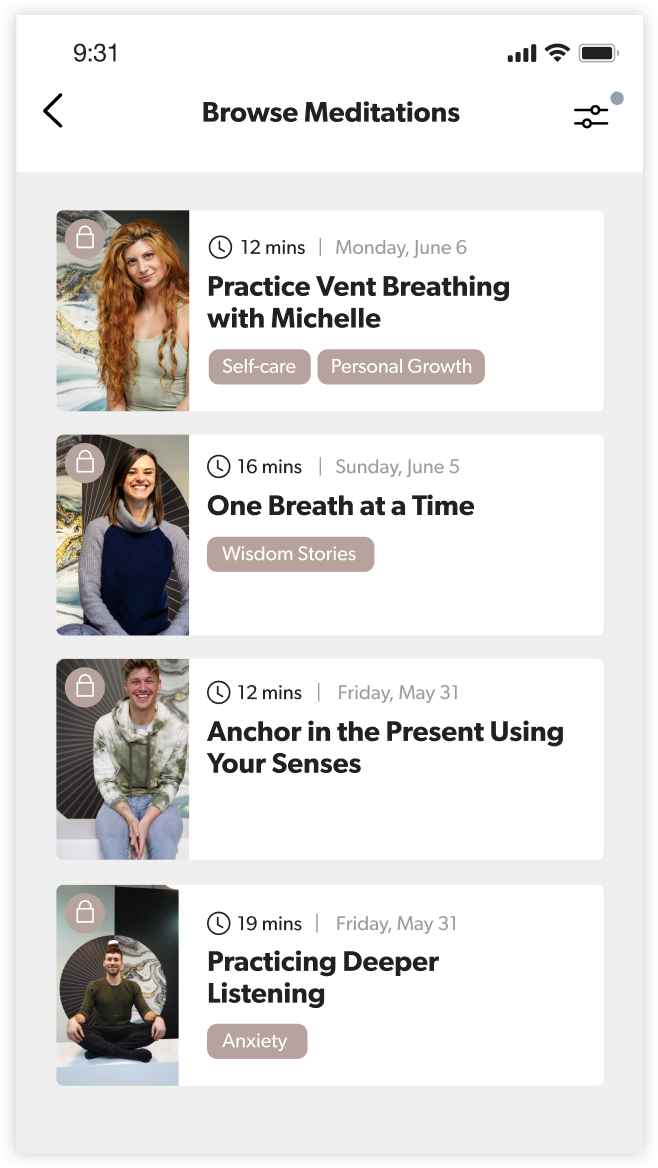
You’ll see a list of all the available guided meditations in our library. To filter and sort them, tap the filter icon at the top-right of the screen. |
|
|
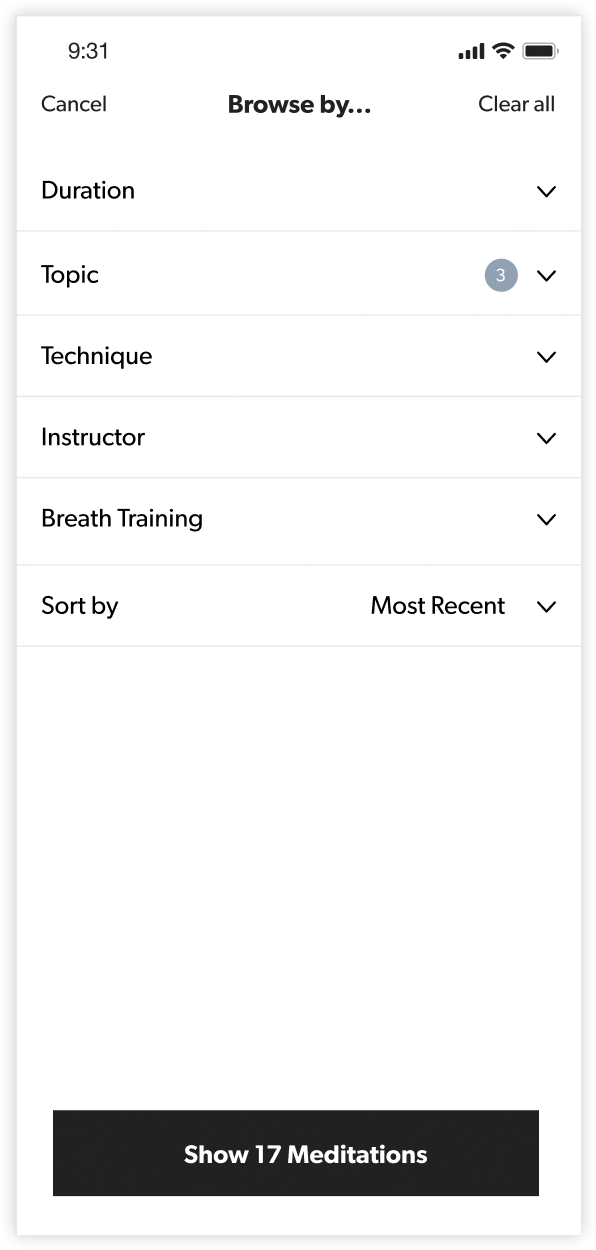
Choose the filters you’d like to use. You can select specific instructors, meditation techniques, topics, and breath training types. You can also limit your search to particular durations. When you’ve selected the filters you want, click the “Show...” button at the bottom of the screen. |